Account Credit
Add funds, check top-ups, and use your balance to pay for services.
Overview
Account credit is money on your account that you can spend with us. It is different from a postpaid credit limit, which limits what you may owe.
Prepaid purchases use account credit. Postpaid resources build up charges for a later invoice; you do not need to fund each order in advance.
Credit belongs to the account holder. If you work in someone else's team, adding funds adds to your balance, not theirs.
Adding funds
Open Billing
Open "Account" > "Billing". The Account Credit section shows your balance and recent top-ups. Click
Add Funds.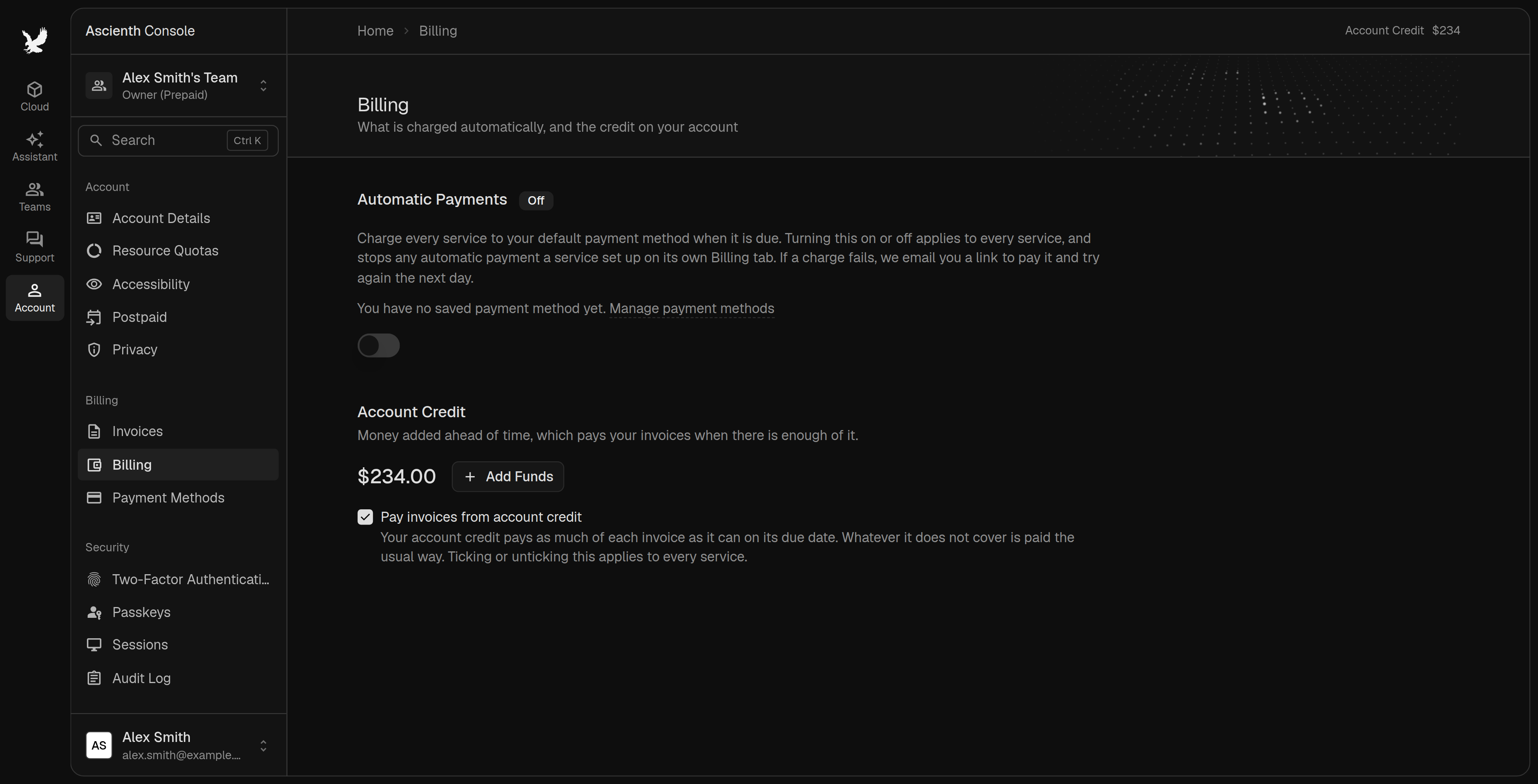
Enter the amount
Pick an amount or enter your own. If it is outside your allowed range, the dialog explains what to change. Read any warning that names invoices your credit may pay.
Pay
Choose an available payment method and complete the payment. Your balance updates after payment clears. Cryptocurrency needs network confirmation.
Only one top-up can wait for payment at a time. Open its row to pay it, or use Cancel before starting another. An unpaid top-up expires after its payment deadline. A payment under review may need to finish before you can start another.
Using account credit
Prepaid orders and renewals
Keep enough credit for prepaid purchases. For renewals, a service's Pay this from account credit switch allows credit payments when it covers the invoice. A service without a saved preference normally uses credit.
The account setting Pay invoices from account credit on "Billing" covers services together and can use credit for part of an invoice. Check any notice after changing it. See Invoices and Billing.
Existing invoices
Open "Invoices", select an unpaid invoice and click Apply credit. Enter the amount to use. If it covers only part of the invoice, pay the remainder by another method. Where offered, Remove credit returns applied credit before the invoice is paid.
If the balance or payment looks wrong
A top-up and the service paid from it can appear as separate records without charging your payment method twice. Check the payment records and invoice balance, not only the number of invoices.
For missing or partial crypto payments, pending charges and unexpected renewals, see Payment or Account Credit Not Showing. Credit on your own account cannot pay another team owner's invoices.
Refunds and withdrawals
Unused prepaid time may be returned as account credit under our Refund Policy. Payments and deposits cannot be withdrawn or returned to the original payment method. Deposit only what you expect to spend.
Account credit cannot be transferred to another account. Deleting your account forfeits the remaining credit.
Still stuck? Contact our team
View as Markdown