Find Your Services and Login Details
Find an existing server, choose its team and recover access without ordering again.
Overview
Sign in at console.advinservers.com with your existing account email and password. Older client area customers normally use the same login. Do not create another account just because a service is missing from the first screen.
Find a virtual server
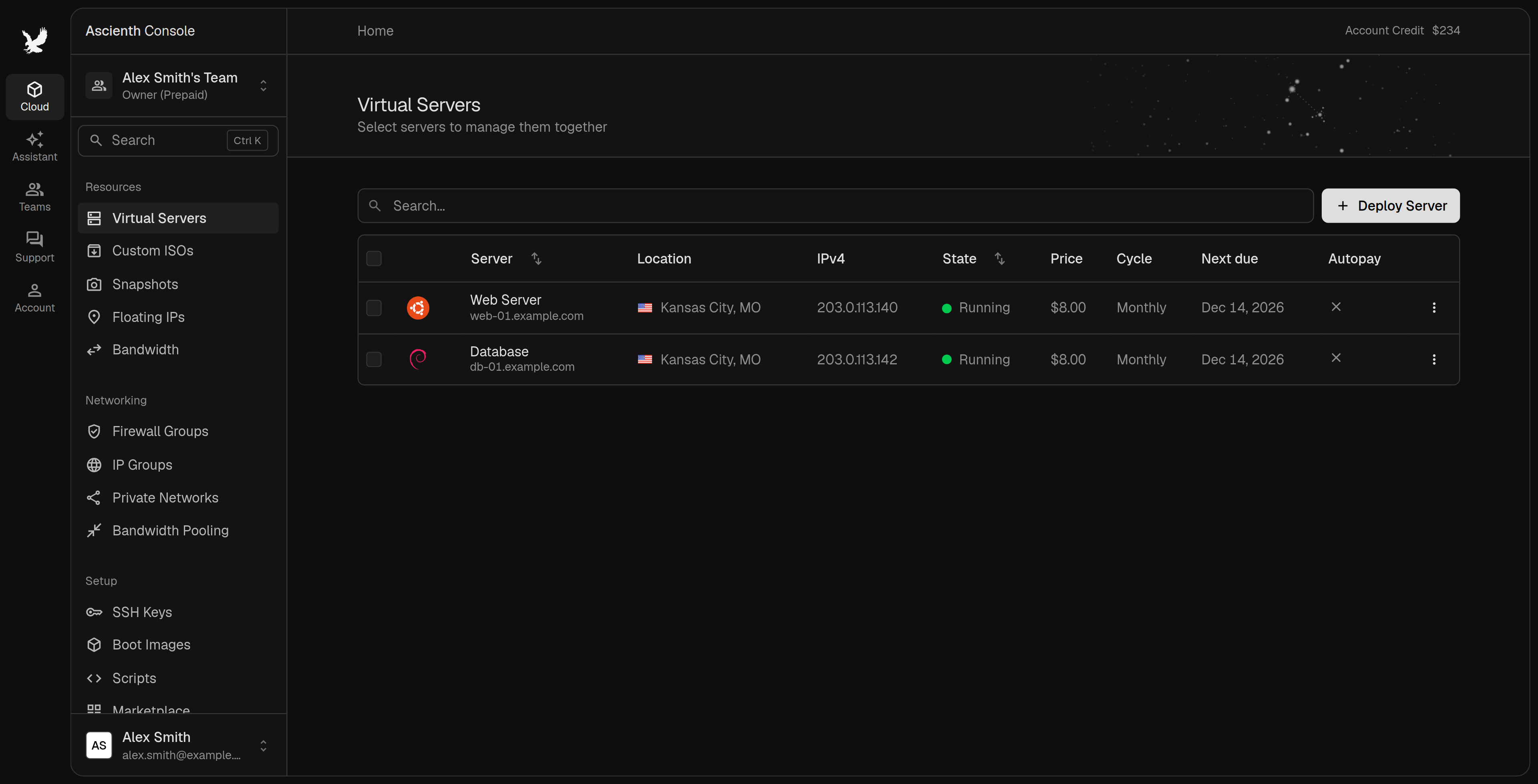
- Open "Cloud" > "Virtual Servers".
- Choose the correct team from the menu at the top of the sidebar. Servers are grouped by team.
- Clear the search box or filters, then search by server name, hostname or IP.
- Open the server. Its header shows the primary IP and its current state.
The IP is the address you use for SSH or Remote Desktop. There is no separate "RDP number" for a Windows server.
Find the server password
Use the password you set for that server, or the generated-password link emailed when offered. The console does not provide a way to retrieve an unknown existing operating system password. Use "Settings" > "Reset Password" to set a new one.
Use root for our normal Linux images and Administrator for Windows Server images. Your account email and console password are not the server credentials. See Connect to Your Server.
Find other services
Scroll down the Cloud sidebar to "Other Services":
- "Website Hosting" lists hosting accounts. Open one to reach its hosting control panel.
- "Licenses" lists software licenses.
- "Dedicated Servers" directs you to the client area while dedicated server management is not available here.
These are separate from the virtual server list. See Hosting, Licenses and Dedicated Servers.
Find invoices and credit
Open "Account" > "Invoices" for invoices, or "Billing" for your credit balance and top-ups. These show your own account, whichever team you have selected. A team member does not gain access to the owner's billing account.
A top-up on one account does not fund another person's team. See Payment or Account Credit Not Showing.
Still missing?
Check the email used on the original order and whether the service was cancelled or deleted. If you cannot sign in, use the password reset option on the sign-in page. If you no longer have access to that email address, contact support for account recovery rather than making a duplicate account.
Send the order or invoice number, service name and the account email you believe owns it. Never send your password or full card details. Do not order a replacement until you know what happened to the original service.
Still stuck? Contact our team
View as Markdown